
Result card and report card software for schools
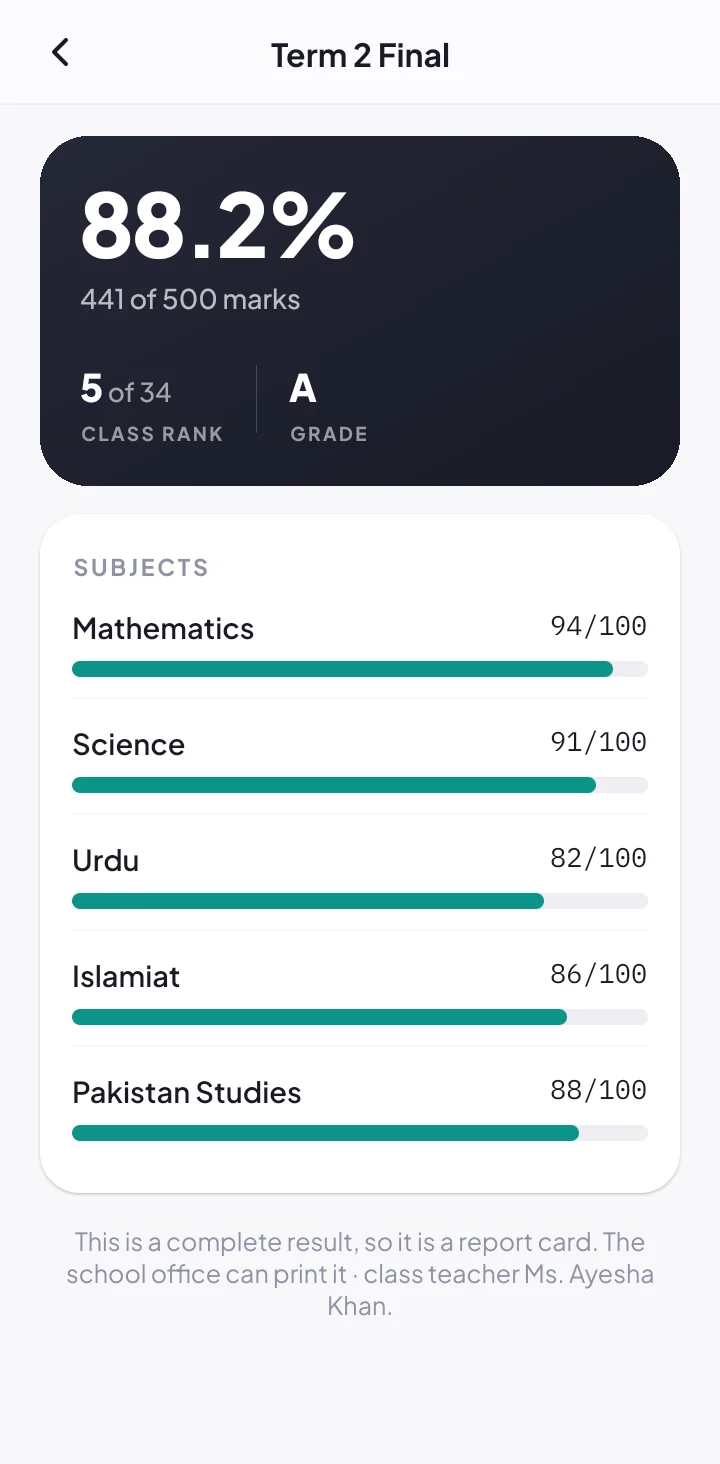
Teachers enter marks in the app, the office checks and publishes, and School360 works out every percentage, grade and class position. Report cards print one A4 page per student, and guardians see the result on their phone.
- Unit tests, monthly tests and term exams
- Percentage, A to F grade and class position worked out
- Exam date sheets with a reminder the evening before
From the date sheet to the report card
One flow for every exam, so result day is a click and not a week of typing.
-
1
Publish the date sheet
Make a paper timetable for every class. Guardians and students see their own class’s papers and get a reminder the evening before.
-
2
Teachers enter marks
Each teacher enters marks for their subject in the app. The office can enter marks too.
-
3
Grades and positions
Percentage, grade and class position are worked out for every student, with no formulas to check.
-
4
Publish and print
Publish the result to students and guardians, and print report cards for the whole class on A4.
Everything result day needs
Exam date sheets
A paper timetable for each class, a notice-board copy on A4, and warnings for clashes and closed days.
Every kind of test
Unit tests, monthly tests and term exams, with the subjects of a term exam chosen by the office.
Class positions
First, second and third in class worked out for you, with grades from A to F.
Printed report cards
One A4 page per student, best position first, ready for the result day ceremony.
Results on the phone
The moment you publish, students and guardians are told and see every subject’s marks.
Student of the Month
Teacher reviews with stars pick the month’s standout student for you.
An online result system without the spreadsheet
In most schools, result day means teachers handing in mark sheets, the office typing them into Excel, and someone checking positions by hand late into the night. School360 is result card software that removes every one of those steps.
Marks are entered once, by the teacher who set the paper. Nothing is shown to guardians until the office publishes, and then every student and guardian is told in the School360 app. The report cards are printed straight from the admin panel.
The same system makes the exam date sheet for every class, warns you if a paper falls on a day the school is closed, and reminds guardians the evening before each paper.
Does School360 work out class positions?
Yes. Percentage, grade and class position are worked out for every student as soon as the marks are in.
Can we print report cards?
Yes. Report cards for a term exam print as one A4 page per student, best position first, straight from the admin panel.
Do guardians see results before we publish?
No. Results stay with the office until you publish them. Then students and guardians are told in the app.
Can we make an exam date sheet?
Yes. Make a date sheet for each class, publish it to guardians and students, and print a copy for the notice board.
Which tests can we record?
Unit tests, monthly tests and term exams. For a term exam the office chooses the subjects, and teachers enter marks for theirs.
The rest of School360
QR attendance system
Teachers scan student ID cards; guardians of absent students hear at once.
School fee management
Monthly fees, reminders, receipts and a live defaulters list.
Teacher attendance & salaries
Staff card scans and salaries worked out from the days they came.
School app
One app for guardians, teachers and students, on Android and iPhone.
See School360 with your own classes
Tell us about your school and we will call you within one working day. The demo is free, at your school or on a video call.