
Teacher attendance and salary software for schools
Every teacher gets a staff ID card. Their attendance is taken by scanning it in the morning, and at the end of the month School360 works out each salary from the days they came, with a slip in the teacher’s app.
- Staff ID cards with a QR code, printed from the panel
- Late after your cut-off, closed days never counted
- Salary by days present, full salary or a reward when you choose
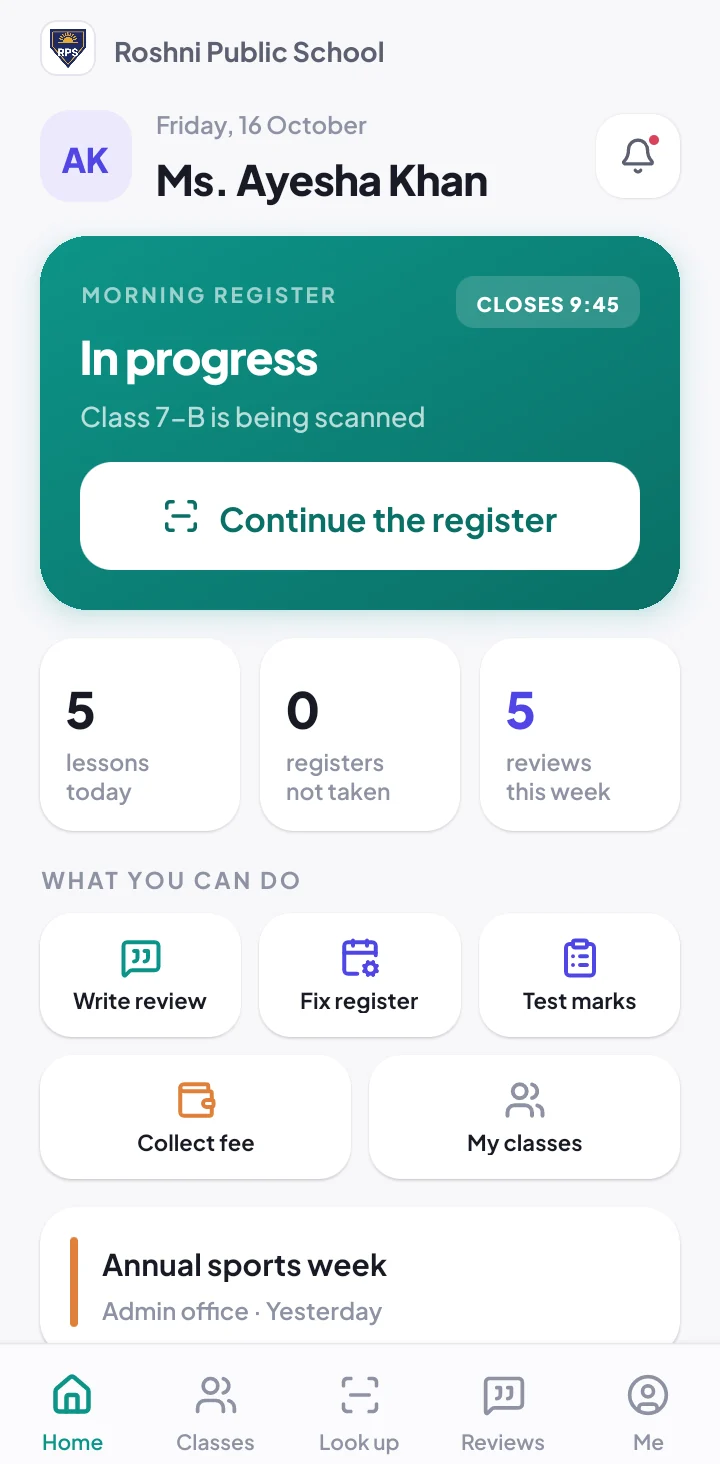
Staff attendance to salary slip
The same QR cards your students use, now for your teachers, and a salary sheet that fills itself in.
-
1
Print staff ID cards
Print one teacher’s card, front and back, or every teacher on A4.
-
2
Scan in the morning
A teacher you choose scans the staff cards. Late is marked after your cut-off, and the office can set any mark by hand.
-
3
Salary by days present
Rs 26,000 a month, 26 working days, came 24: School360 works out Rs 24,000. Late days still count as present.
-
4
Pay and send the slip
Pay in cash or by bank. Add a reward if you like. The teacher gets the slip in the app and by e-mail.
Fair to teachers, simple for the office
The month at a glance
Present, late, leave and absent days for every teacher, month by month.
Holidays are not deducted
Days the school is closed are not working days, so they never cut a salary.
Only who you choose
Turn attendance on for the teachers who should give it. Everyone else is paid every day.
Rewards
Add a reward for good work or coming on time every day, with the reason on the slip.
Take a payment back
A wrong payment can be taken back and the month paid again. The teacher is told.
Teacher permissions
Choose which teachers scan staff cards, collect fees, enter marks or enrol students.
Staff attendance and payroll in one place
Paying teachers fairly means knowing which days they came. In many schools that knowledge lives in a staff register and the principal’s memory. School360 turns it into a teacher attendance system that runs on the same QR cards as the student register.
At the end of the month the salary sheet is already filled in: working days, days present and the amount due for every teacher. Pay by the days they came, pay more days, or pay the full salary, and School360 keeps every slip exactly as it was paid.
Teachers see their own attendance and salary slips in the School360 app, so there are no arguments at the end of the month.
Teacher attendance and salary questions
Something else? Ask us. We reply within one working day.
Do we need a biometric machine for teacher attendance?
No. Teachers have staff ID cards with a QR code, scanned on any phone by a teacher you choose. The office can also set any mark by hand.
How is the salary worked out?
The monthly salary is divided by the month’s working days and paid for the days the teacher came, late days included. You can also pay more days or the full salary.
Does a holiday cut a teacher’s salary?
No. Days the school is closed on the school calendar are not working days, so they are never deducted.
Can teachers see their salary slip?
Yes. The slip goes to the teacher in the app and by e-mail, with the days, the amount and any reward.
Do all teachers have to give attendance?
No. The office turns attendance on for each teacher. A teacher without it is never marked absent and is paid every day.
The rest of School360
QR attendance system
Teachers scan student ID cards; guardians of absent students hear at once.
School fee management
Monthly fees, reminders, receipts and a live defaulters list.
Result card software
Marks, grades, positions, printed report cards and date sheets.
School app
One app for guardians, teachers and students, on Android and iPhone.
See School360 with your own classes
Tell us about your school and we will call you within one working day. The demo is free, at your school or on a video call.