
One school app for guardians, teachers and students
The same School360 app on every phone. What it shows depends on who signs in: the guardian sees their children, the teacher sees their classes, and the student sees their own day. Nobody types a school code.
- Free for guardians and students: the school pays
- Android and iPhone, in your school’s name if you like
- Every child of a family under one sign-in
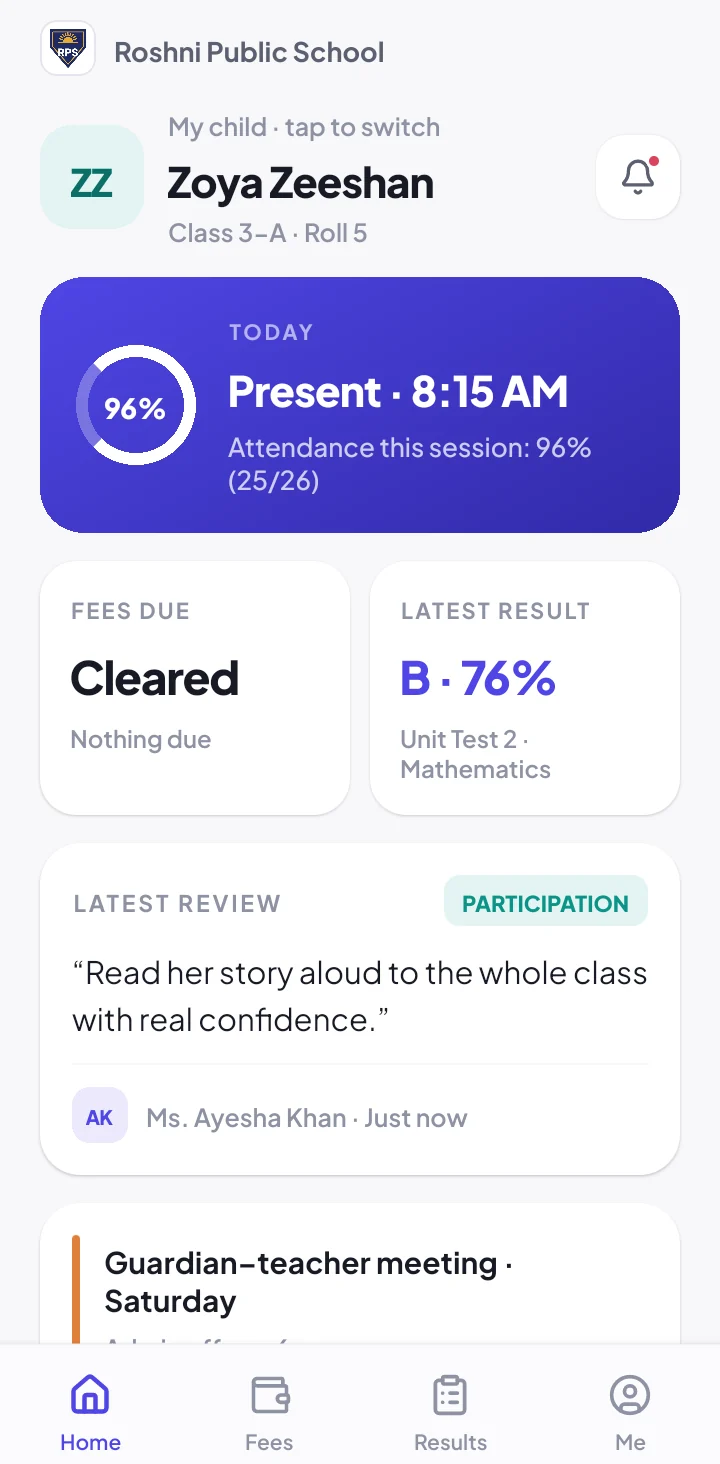
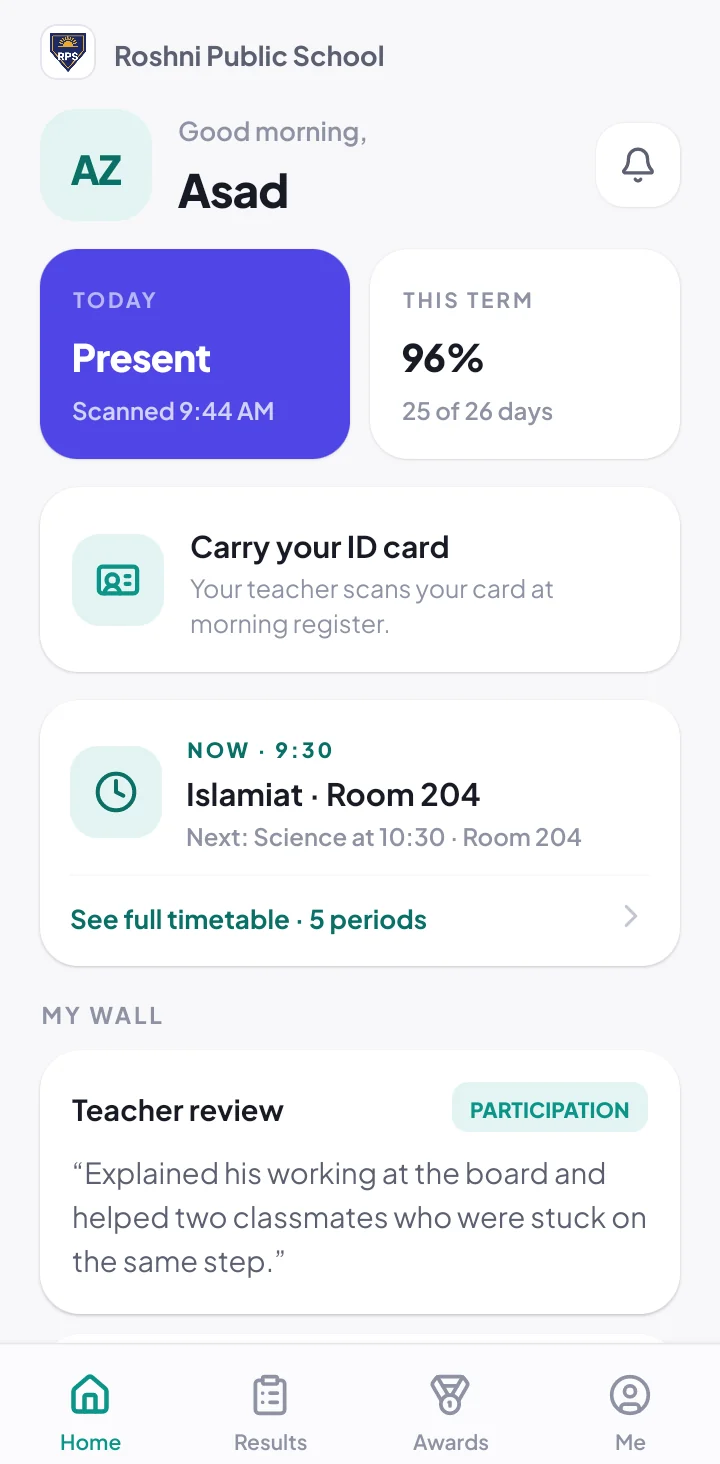
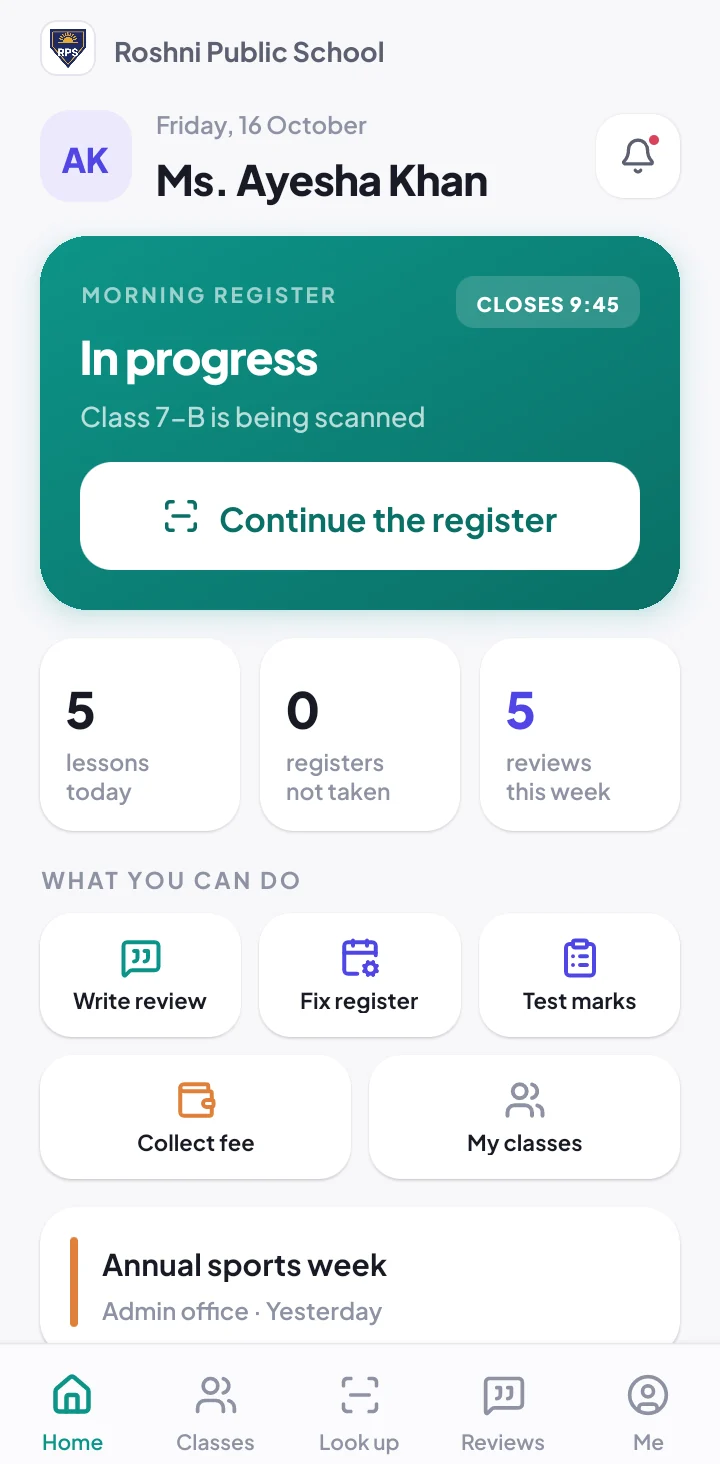
Three people, one app
Everyone signs in their own way and sees only what is theirs.
-
1
Guardians
Sign in with the e-mail the school added. See attendance the same morning, fees and receipts, results, date sheets and announcements, and apply for leave.
-
2
Teachers
Scan student cards for the register, write reviews, and enter marks, collect fees or approve leave if the office allows.
-
3
Students
Sign in by scanning their own ID card and a PIN. See the timetable, attendance, every result and teacher reviews.
What guardians get on their phone
Absent alerts
A message the same morning if their child is not in school.
Fees and receipts
What is due, reminders before the due date, and every receipt.
Results
Marks, grade and class position the moment the school publishes.
Leave in the app
Apply for leave; the register fills in when it is approved.
Announcements
Notices from the school, to the whole school or one class, as push notifications.
Date sheets
Their child’s exam timetable, with a reminder the evening before each paper.
Your school’s own app, if you want it
Guardians download the free School360 app from Google Play or the App Store and sign in with the e-mail the school added. A guardian with several children sees all of them under one sign-in, and guardians only ever see their own children.
For schools that want their own brand, we publish the app on Google Play and the Apple App Store with your school’s name and logo, so guardians download your school’s own app. Ask us about it on the free demo.
Behind the app is the school admin panel, where the office runs attendance, fees and results for the whole school.
Is the app free for guardians?
Yes. The school pays for School360 and that covers everyone. Guardians and students download the app for free.
Does it work on Android and iPhone?
Yes. School360 is on Android and iPhone, and the office uses the admin panel in any web browser.
Can the app carry our school’s name and logo?
Yes. We can publish the app on Google Play and the App Store in your school’s name, so guardians download your own app.
How do students sign in?
Students sign in by scanning their own ID card and entering a 4-digit PIN. There is no password to forget.
Does a guardian with several children need several accounts?
No. Every child of a guardian is under one sign-in, and the guardian switches between them in the app.
The rest of School360
QR attendance system
Teachers scan student ID cards; guardians of absent students hear at once.
School fee management
Monthly fees, reminders, receipts and a live defaulters list.
Result card software
Marks, grades, positions, printed report cards and date sheets.
Teacher attendance & salaries
Staff card scans and salaries worked out from the days they came.
See School360 with your own classes
Tell us about your school and we will call you within one working day. The demo is free, at your school or on a video call.